Configure
Choose the approval item, groups, columns, and statuses.

Installation and first use
ReadyCheck is a read-only monday.com Board View. It evaluates the board you are viewing and stores ReadyCheck configuration and governance records without editing monday board items.
Use the official ReadyCheck installation link provided on getreadycheck.com. Before Marketplace approval, the link may be limited to authorized test accounts.
Open the target board, add a view, choose installed apps, and select ReadyCheck.
ReadyCheck reads the current board context automatically and keeps each Board View’s records isolated.
Select the board item whose owner and approval status control the final gate.
Choose the board groups ReadyCheck should inspect for completeness and blockers.
Select the status column and any column that must contain an owner or other required value.
Confirm which status labels count as accepted and which labels prohibit readiness.
Save only after reviewing the mapping. Configuration is isolated by monday account and Board View.
ReadyCheck evaluates the current board and displays the decision, evidence, and any blocking items.
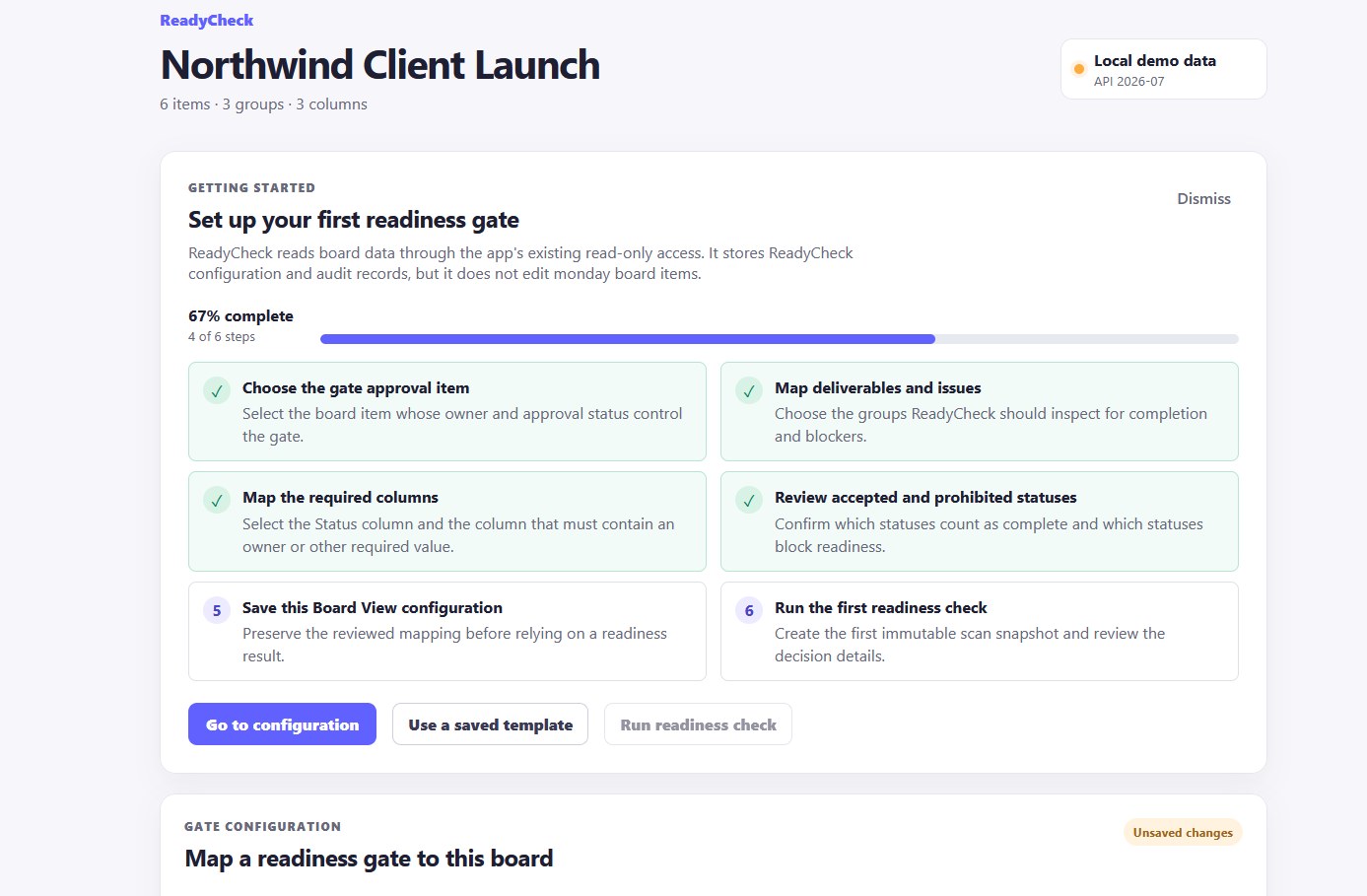
Choose the approval item, groups, columns, and statuses.
Read the current board and evaluate each configured rule.
See blockers, evidence, and the final readiness decision.
Keep history, waivers, and approvals.
For the reasoning behind the model, read how to build a clear monday.com readiness gate, make approval decisions with better evidence, or use a practical go-live readiness checklist.
Free access includes configuration, current scans, detailed current results, and reading existing records. Pro adds reusable templates, immutable scan-history snapshots, written waivers, approval snapshots, and related governance workflows. Existing records remain readable after a downgrade.
Email support@getreadycheck.com. Include the visible error message, browser, approximate time, and the steps that produced the issue. Do not include passwords, API tokens, private keys, or unnecessary confidential board content.
Target initial response: within 48 hours.